

Don’t get attached to a specific tool. Tools come and go, evolve, and get replaced – but the underlying technology remains. Whether it’s Docker or Podman doesn’t really matter. What matters is understanding what’s happening underneath: how Linux works, what a container actually is, and how isolation is achieved at the system level. In my opinion, the best way to approach learning is from the bottom up. When you do that, the abstractions disappear and any tool becomes easy to use because you understand what it’s doing behind the scenes.
Lets build a mini version of docker on linux with Go and you’ll understand what a “Docker container” really is and the philosophy behind systems like Kubernetes Pods.
Senior engineers should understand the systems they rely on — not just the commands that operate them.
A Different Approach: Bottom-Up Learning
For this article, I decided to flip the process:
Start from the lowest level possible — and build up.
Instead of starting with Docker, ask yourself:
- what is a container really?
- what does Linux provide out of the box?
- how far can I go with just syscalls and processes?
Prerequisites
🐧 🐧 🐧
You’ll need to run everything on Linux. Mac won’t work. Spin up a Linux VM on top of you MacOS or get an old laptop of yours and install Fedora Server or any other Linux flavor you prefer – up to you.
Once you have your Linux running, install Go. Guide: here
fork() & exec() in linux
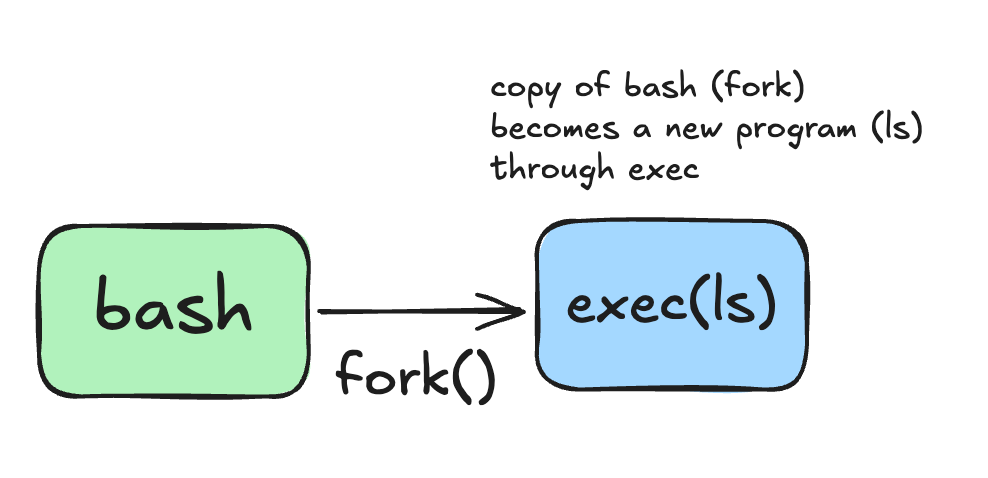
fork() creates a new process. exec() transforms a process into something else. Containers rely on exec because the first process inside the container must become the actual application.
Let’s see what happens when you run a command in your bash shell by invoking the command directly like
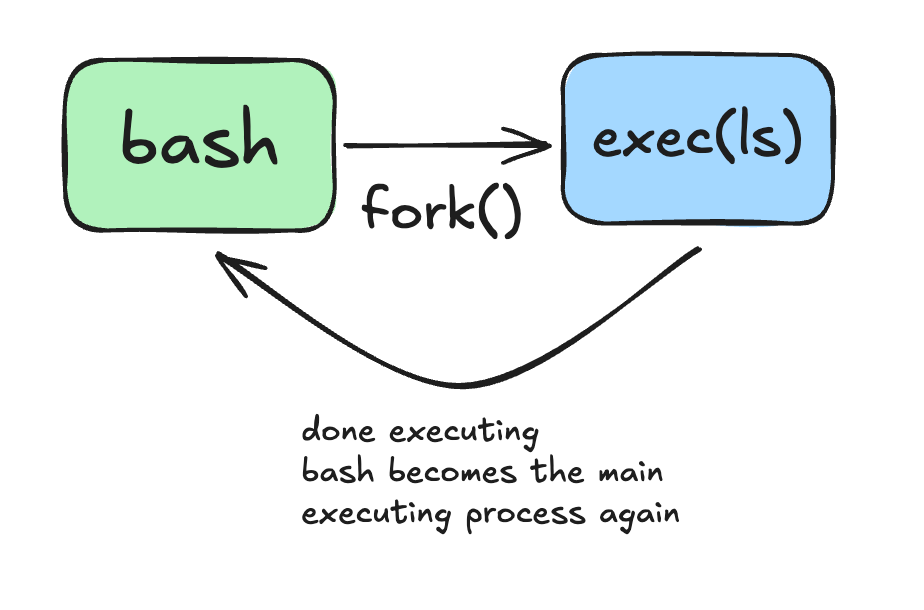
lsWhat pannes is, bash copies itself and the copy of the bash process becomes a new program (exec) and when ls executes it terminates itself and it returns bask to the bash shell.
Try something else. On you bash shell, run:
exec lsYou will see that ls will become the new program, it will execute itself, give the results of the command and then, the terminal will disappear. Why? Because you explicitelly made ls the current execution program and it doesn’t have the same functionalities as you bash shall programm which gives you an open terminal window to keep executing one command after another. So once its done executing, it will dissapear.
So again, what happens when you just run the ls command from you bash shell?
Why do we need that? Keep it and you will understand later.